
Software for a brighter, more connected everyday

Useful tools.
A more positive tomorrow.

3DJ makes practical software that removes everyday barriers—helping people communicate clearly, access more and spend less time wrestling with technology.

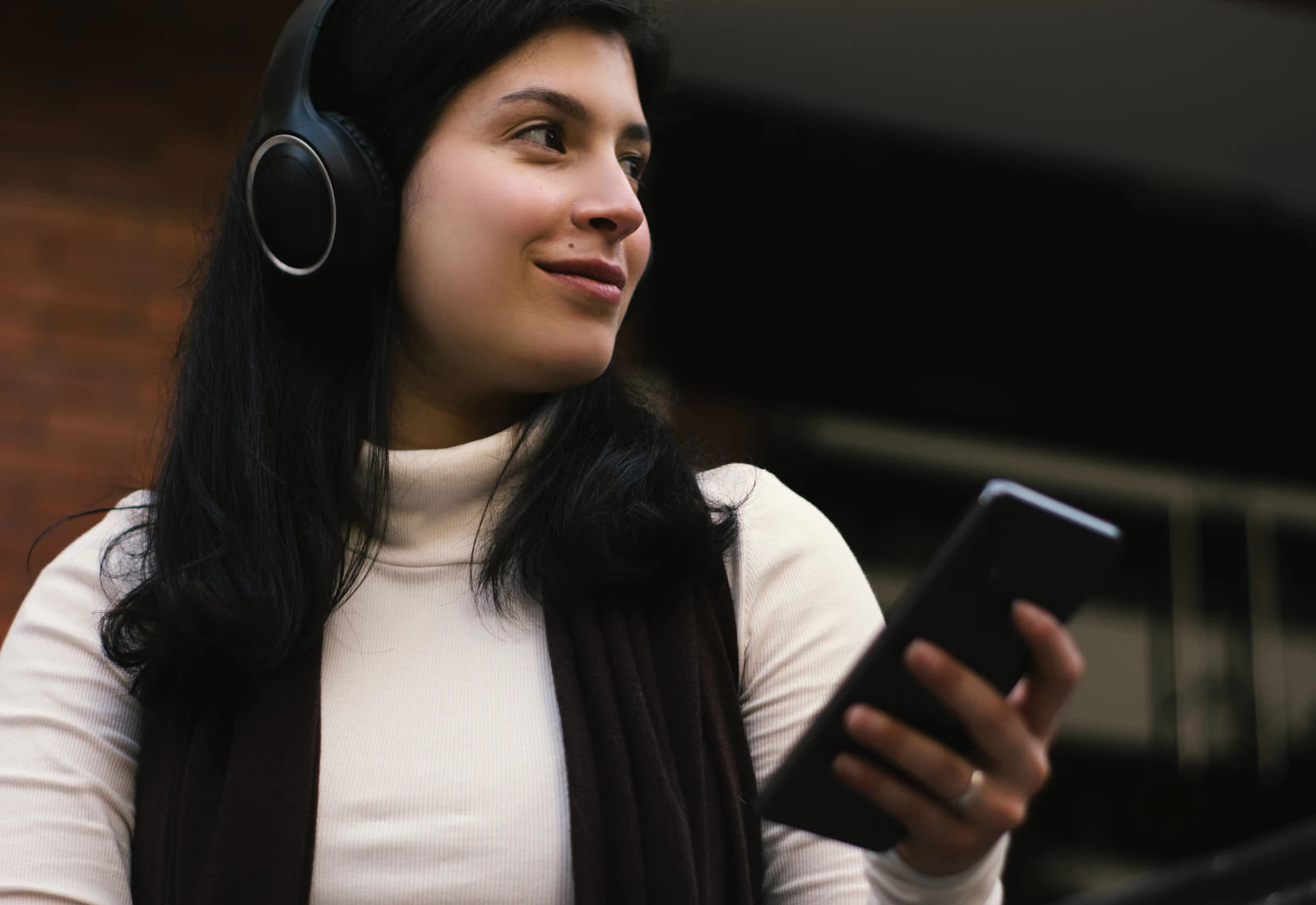
Woman using headphones and a smartphone while travelling
Speak freely.Understand clearly.
Explore Voice Translator

Translate voice messages from WhatsApp, Messenger and other apps, then reply in their language.

Is this for you?Who it helps · 10 use cases

For people receiving voice messages from WhatsApp, Messenger and other messaging apps in another language who want to understand the message and send back a reply the other person can understand; Android also supports text-message workflows.

  1. International family and friends

    Translate a voice message into your language, read or hear the result and create a reply in the sender’s language.

  2. Small businesses with overseas customers

    Understand a customer’s voice enquiry and prepare a translated response before sharing it back through WhatsApp, Messenger or another messaging app.

  3. Tradespeople arranging a visit

    Translate a voice message about a repair or appointment and reply with clear arrangements in the customer’s language.

  4. Landlords and tenants

    Understand a voice message about a property issue and send back a translated reply about the next step.

  5. Hotels and holiday accommodation

    Help with an international guest’s voice-message question and return instructions in a language they understand.

  6. Travellers making arrangements

    Translate a local contact’s voice message and prepare a reply about a booking, arrival time or meeting place.

  7. Suppliers and delivery contacts

    Read or hear the meaning of a voice message, then translate your reply about timing or an order.

  8. Language learners checking meaning

    Compare the original transcript with the translated text and listen to the result to check your understanding.

  9. People who find audio difficult to follow

    Turn a received voice message into readable text and a translation you can review at your own pace.

  10. Android users receiving text messages

    Share or paste a message into the Android preview, then type or record a reply and translate it back for the recipient.

Explore the Android preview

Translate WhatsApp, Messenger and other app messages on Android; type or speak your reply.

Is this for you?Who it helps · 10 use cases

For Android users who exchange WhatsApp text or voice messages across languages and are willing to try the preview app, install it directly from 3DJ and share feedback.

  1. Bilingual family conversations

    Read or hear an incoming message in your language, then type or speak a reply that is translated for your relative.

  2. Friends living in different countries

    Translate shared voice messages and return a translated text or audio reply from your phone.

  3. Customer enquiries while away from your desk

    Paste or share a customer’s text into the Android app and prepare a reply in the language they use.

  4. Tradespeople visiting customers

    Translate a customer’s message about access or timing and record your reply when typing is inconvenient.

  5. Landlords and property contacts

    Understand a tenant’s text or voice message and return a translated response about arrangements.

  6. Travellers and local contacts

    Translate messages about accommodation, transport or meeting times, then check and share your reply.

  7. Guest accommodation hosts

    Use the Android preview to understand a guest’s question and prepare translated text or audio instructions.

  8. Supplier and delivery messages

    Translate an incoming update and send back a checked reply about delivery details in the sender’s language.

  9. People who prefer speaking to typing

    Record a reply in your language, check the resulting text and translate it into text or audio for the other person.

  10. Android preview testers

    Try incoming text and voice, both reply methods and playback, then report your phone model and any steps that did not work.

Explore TalkingForms

Create a form once and let people read, hear, type or speak in their own language.

Is this for you?Who it helps · 10 use cases

For organisations collecting information from people who use different languages, prefer speaking to typing, or benefit from hearing a question read aloud.

  1. Housing repairs

    Let tenants describe a repair in their own language by typing or speaking, while your team maintains one repair-reporting form.

  2. Letting and property enquiries

    Collect viewing requests, contact details and property requirements with translated questions that applicants can read or hear.

  3. Garages and vehicle repairs

    Ask drivers about their vehicle and the problem in their chosen language before your team reviews the enquiry.

  4. Trades and home services

    Use a single enquiry form to ask customers what work they need, where it is and when someone can visit.

  5. Hotels and guest accommodation

    Invite guests to submit a request or feedback in a supported language without needing an account.

  6. Schools and parent communication

    Ask parents for routine information or event preferences using questions they can read or hear in their language.

  7. Community groups and charities

    Help people explain what support they are looking for through a guided form with translated questions and spoken answers.

  8. Client onboarding

    Gather a new client’s contact details and requirements with conditional questions and a final answer review.

  9. Events and activity registration

    Collect attendance details and preferences through one shared link that lets each person choose their language.

  10. Employee onboarding and feedback

    Give staff a way to complete routine information or feedback forms using typed or spoken answers in their chosen language.

Explore TalkBridge

Keep customer conversations, quotes and appointments together, with messages translated both ways.

Is this for you?Who it helps · 10 use cases

For service businesses and teams who need to understand customers, reply across languages and keep the conversation connected to the work being arranged.

  1. Property management

    Discuss a tenant’s reported problem across languages, arrange a visit and keep the relevant conversation with the job.

  2. Plumbers, electricians and trades

    Understand a customer’s message or voice note, clarify the problem and send a translated quotation or appointment proposal.

  3. Garages and repair workshops

    Discuss symptoms, proposed repairs and approval with drivers while each side uses its own language.

  4. Hotels and guest services

    Handle guest questions and service requests through a browser link with messages translated for your team and the guest.

  5. Holiday-let operators

    Help international guests report an issue and understand your reply without moving the discussion between translation tools.

  6. Cleaning and maintenance companies

    Clarify access, timing and customer requirements, then bring a restricted contractor into the relevant conversation.

  7. Installation and aftercare teams

    Discuss delivery or installation arrangements and retain the customer’s questions, your replies and any approval together.

  8. Small-business customer support

    Let customers contact you in their preferred language and give staff a translated conversation they can respond to.

  9. Teams working with external contractors

    Invite a contractor into one customer conversation with restricted access and a preferred working language.

  10. Businesses serving international customers

    Translate enquiries and replies both ways, then use structured quotes, appointments or payment requests when the conversation needs a next step.

Explore 3DJ Notes

Capture notes and multilingual voice reminders, then read and edit saved notes offline.

Is this for you?Who it helps · 10 use cases

For people who capture ideas, voice reminders and practical details on the move, especially when the information arrives in another language or a connection is unreliable.

  1. People working across languages

    Record a voice reminder in the spoken language and choose another language for its written translation when online.

  2. Field workers and site visits

    Capture notes, photographs and reminders during a visit, then organise them at your desk after syncing.

  3. Freelancers and small-business owners

    Keep client notes, task reminders and supporting files together, with a quick voice capture when typing is inconvenient.

  4. Supplier calls and delivery follow-ups

    Record your own reminder after a discussion and translate it into the language you prefer to work in.

  5. Students and language learners

    Organise study notes and use short voice reminders to compare an original transcript with its translation.

  6. Travellers and commuters

    Prepare Notes online, then read and edit saved notes without a connection and sync changes when you reconnect.

  7. Households managing appointments

    Photograph appointment information, review the extracted date and time and create a reminder for the next step.

  8. Keeping track of bills

    Scan a bill or invoice image for a payment due date, check the result and schedule a reminder.

  9. People moving from another notes app

    Import supported exports or files, then organise the resulting notes into notebooks and tags.

  10. People switching between phone and desktop

    Capture an idea on your phone, sync it to your account and continue editing on a larger screen.

Explore Windows Restore

Restore your desktop’s saved window layout after restarts and monitor changes.

Is this for you?Who it helps · 10 use cases

For Windows users who carefully arrange several applications or monitors and want to return to that workspace after restarts, display sleep or changes to their screen setup.

  1. People using multiple monitors

    Keep a saved layout for each monitor arrangement so your applications return to the screens and positions you chose.

  2. Laptop users with a docking station

    Restore your preferred window arrangement when returning to the monitor setup at your desk.

  3. Working from home and the office

    Save layouts for different screen arrangements and restore the relevant workspace when switching desks.

  4. Accounts and spreadsheet work

    Place a spreadsheet, browser and supporting documents in saved positions so you can compare information without rearranging them.

  5. Developers and technical teams

    Arrange your editor, terminal, browser and documentation once and restore those window positions when needed.

  6. Designers and creative workers

    Keep your main application and reference windows in the positions that suit your available screens.

  7. Support desks and administrators

    Build a startup grid for the conventional desktop programs you open together at the beginning of a shift.

  8. Researchers and writers

    Return your source material, draft and browser to a familiar arrangement after a restart.

  9. People affected by monitor sleep

    Protect your good layout when a display powers off, then restore it after the screen wakes.

  10. People who prefer another interface language

    Choose a supported app language at first launch and manage your saved desktop layouts using familiar interface wording.

Why 3DJ
CommunicateTranslateAccessBe productiveEveryday tools

Small tools. Meaningful difference.

Software should make the day feel simpler.

We build focused utilities around real moments: understanding a voice message, crossing a language barrier or completing a task without unnecessary complexity. Each product has one clear job—and does it well.

01

Trust & dependability

Tools you can understand and rely on, with clear pricing and no needless surprises.

02

Progress & clarity

Modern technology shaped into simple, useful experiences for everyday life.

03

People & possibility

Accessible software that opens conversations and helps more people take part.

04

Energy & inclusion

Thoughtful products designed for different people, languages and ways of working.

Clean. Modern. Human.

Technology in the background. Possibility in the foreground.

Our aim is straightforward: create useful tools that leave people feeling more capable, connected and in control.

Communicate · Translate · Connect

One message can connect two worlds.

Discover Voice Translator

Fetching your language, please wait…

We’re preparing this page in your chosen language. The first visit can take a little longer.